How To Actually Build An App with AI In 2026 (Complete Guide)
Beto, September 2026
AI-assisted development can hurt your app more than you realize.
This is especially true when you are new to software and mainly care about the outcome. And honestly, that is understandable. You want the app. You do not necessarily want a computer science degree.
But AI agents tend to follow your framing.
Give Claude or Codex a bad app idea with enough confidence, and it will probably help you explain why it could be the greatest idea in the world.
The same thing happens while building the app.
If you do not know what to inspect under the hood, the interface becomes the easiest thing to judge. You ask for prettier cards, smoother animations, or a better onboarding screen. The agent keeps improving the things you react to, while the data model, security, error handling, tests, and release process remain invisible.
That is how you end up with something that looks like an app but cannot survive real users.
Agents are extremely capable. But building with AI is not just about prompting until the screen looks right. You still need to decide what should be built, give the agent constraints, verify its work, and create a foundation you can maintain.
In this guide, I will show you what that foundation looks like, from validating the idea and choosing a framework to Git, testing, security, deployment, and updates.
Let's start with the part most people skip: deciding whether the idea is worth building at all.
Decide what kind of app you are building
Before asking your agent to build an app, answer one question:
Is this a personal tool, or are you trying to build a product that makes money?
If you are making something for yourself, your family, or a small group, you do not need to prove there is a large market.
That is a completely valid reason to build. In fact, personal tools are a great way to learn because you already understand the problem.
If you want the app to make money, the standard changes. Your idea is now a hypothesis.
You need to know:
- Who has this problem?
- How are they solving it today?
- How often does it happen?
- What evidence suggests they would switch or pay?
Do not ask someone, “Would you use my app?” People want to be supportive. Ask them about the last time the problem happened. Ask what they did, what they tried, what it cost, and what was frustrating.
Then look for behavior. Read reviews of competing apps. Put up a simple landing page. Collect emails. Deliver the result manually for a few people if you can.
The goal is not to prove the business will work. You cannot know that yet. The goal is to earn enough confidence to build the next small version.
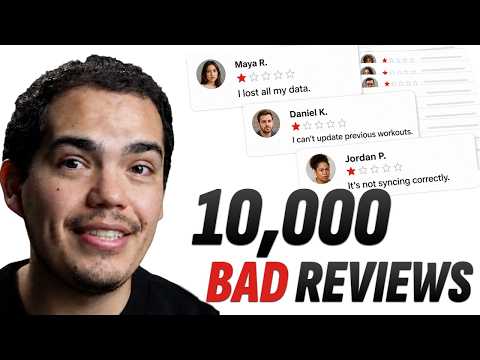
YouTubeFind your next app idea in 10k bad reviews
Learn how to use GTP-5.6 Luna to analyse large data sets and make decitions
Decide whether this should be an app at all
Most people just default to thinking that they need to build a mobile app.
And they start by asking the wrong question: what model should I use? What framework should I use?
Ask where the job naturally happens.
If the product needs a link anyone can open, search traffic, or fastest way to test demand, then you need a web app.
If the product needs a camera, location, notifications, offline use, then you need a mobile app. (the phone is part of the product)
If the product needs iOS and Android with one product team, then you need to build it with a cross-platform mobile framework.
If the product needs deep integration with only one platform and no need to support the other one, then you need to build it natively with Swift for iOS or Kotlin for Android.
Do not build a thin website wrapper just to say you have an app. Apple's review guidelines require apps to provide lasting value beyond a repackaged website.
If the complete value can be delivered through a link, start on the web. You can always build a mobile app after the idea earns it.
Pick a stack
There is no universal best framework. There is only the best fit for the product, the team, and the constraints.
For most cross-platform mobile ideas, my default is React Native with Expo and TypeScript.
The best stack is often the one you, your team, or your trusted advisor can evaluate.
Choose SwiftUI when the product is deeply tied to Apple platforms. Choose Kotlin and Jetpack Compose when Android is the product. Start on the web when distribution and fast validation matter more than native capabilities.
DO NOT BUILD THE THREE OF THEM AT THE SAME TIME
💡 Pro tip: Use Platano template to build your app faster with best practices.
Plan before you build
“Build my app” is not a plan.
Before you ask AI to generate features, manually write one page that answers:
- User: Who is this for?
- Problem: What recurring problem are they trying to solve?
- Outcome: What can they do after using the app?
- Core loop: What is the smallest end-to-end journey?
- Data: What must be saved, and where?
- Out of scope: What are we intentionally not building yet?
- Done: How will we know the first version works?
- Risks: What could affect privacy, payments, security, or store approval?
Your first version should complete one useful job from beginning to end.
For a habit tracker, that might be:
- Create one habit.
- Mark it complete today.
- Close the app.
- Open it again and see that the progress was saved.
That small loop forces you to solve the real foundation: navigation, state, persistence, loading, errors, and the primary user experience.
But the core loop does not always begin with the interface. Imagine you are building a dating app. You could spend weeks creating beautiful profile cards, swipe animations, onboarding screens, and premium features. None of that matters if the matching system does not work. I would start by proving the smallest version of the matching flow:
- Create two test users.
- Let each user express interest in the other.
- Have the server recognize the mutual interest.
- Save the match.
- Return that match to a minimal client. The first version does not need a sophisticated recommendation algorithm. It needs to prove that the core promise works from beginning to end. Once that foundation works, you can build the polished experience around it. NOT BEFORE!
Use AI effectivly
An AI coding agent can write the code, run commands, inspect errors, and help test the result. Your job is to direct the work and decide what “good” means.
Give it one outcome at a time. Include the relevant context, the constraints, what it must not change, and how it should verify the result.
Here is a reusable prompt:
Inspect the current project before making changes.

Goal: Build [one specific outcome].

Done means:
1. [Observable result]
2. [Important edge case]
3. [Persistence, error, or loading behavior]

Constraints:
- Reuse [existing component or pattern].
- Do not change [out-of-scope files or behavior].
- Keep sensitive keys and privileged operations off the client.

Before coding, propose a short plan and list any assumptions.
After coding, run the relevant type check, lint, tests, and build.
Tell me exactly what you verified and what still needs manual testing.The workflow is:
- Plan one small outcome.
- Let the agent build it.
- Inspect the result and the changed files.
- Test it on the device where people will use it.
- Fix what failed.
- Save a known-good checkpoint.
- Repeat.
Use Git from day one
If AI can change 20 files in a minute, you need a reliable way to see what changed and return to the last working version.
That is Git.
You do not need to memorize every Git command. Your agent can help with the mechanics. You do need to understand the habit:
- Create the repository before meaningful work begins.
- Check what changed before accepting it.
- Commit when a feature works.
- Create a branch before a risky feature or large refactor.
- Never commit secrets.
- Keep commits small enough to explain in one sentence.
Git is not only for teams. It is your time machine.
When an experiment fails, you can compare it, keep the useful parts, or go back without rebuilding the project from memory.
CourseGit & GitHub Course
Learn the basics of git and github so you develop stronger apps with AI and never lose your progress.
Protect the data boundary
A mobile app is distributed to users. They can inspect what you ship.
Do not use a secret API key inside the app bundle. Public client variables are public. Privileged keys and sensitive operations belong on a server you control.
Before release:
- Decide what data you truly need.
- Request the minimum permissions.
- Keep privileged keys and operations off the client.
- Store only appropriate device credentials in secure storage.
- Audit the SDKs you install and the data they collect.
- Prepare accurate privacy disclosures for the stores.
Security is not a feature you add after the UI looks good. It is part of the foundation.
Ship it ASAP
As soon as the core loop works reliably, get the app out of your development environment and into the hands of testers.
ASAP does not mean submitting a broken or unsafe app to production. It means sharing a testable version as soon as someone can complete the main job without losing data or running into an obvious blocker.
Do not wait until the branding is perfect. Do not spend three weeks polishing the landing page while you are still the only person who has touched the app.
Ship the beta.
What happens after that?
Here is the part nobody likes to tell you:
Getting approved does not create users.
From a technical perspective, the app might not feel very different. It is the same application you were already testing. The biggest visible change is that you now have a public link anyone can use to install it.
But from a business perspective, everything changes.
Publishing completes your first development loop. If the app is only for you, your family, or a few friends, congratulations. You can share the link, use it, and improve it whenever you want.
If you want the app to make money, however, the larger loop is just beginning.
Now you need to think about:
- Distribution: How will people discover the app?
- Positioning: Why should they choose it instead of an existing option?
- Pricing: Will it be free, paid once, or supported by a subscription?
- Acquisition: Will you use organic content, UGC, influencers, partnerships, or ads?
- Retention: What gives someone a reason to return?
- Support: What happens when users get confused or something breaks?
- Measurement: How will you track installs, attribution, conversion, and churn?
- Economics: How much does each user cost to serve, especially if the app uses AI?
A good product gives you an advantage. Many competing apps are confusing, slow, full of ads, or poorly maintained.
But a better product does not distribute itself.
You still need to give people a reason to care, a way to discover it, and a reason to keep using it.
Building the app is step one. Distribution is how the app gets a chance.
If you'd rather focus on what happens after the app is solid and in production, you can hire me and my team to build your app. Reach out here
If you want to actually learn how React Native works under the hood and level up your apps, consider becoming a pro member.
React Native courseShip React Native apps with confidence
Learn the production workflow for building, testing, publishing, and maintaining React Native apps after the tutorial ends.