












Skip to content

AI writes the code.You ship appsyou're proud of. Online courses and projects for React Native, React, TypeScript, and Git with lifetime access - Code with Beto, Alberto Moedano.

Learn from apps already on the App Store, and give your AI their code to build yours.

Your agent learns from real apps

Everything we learned shipping real apps.

  • Your first prompt. Your first live app.

    No coding background needed. In six chapters you go from idea to App Store, with a database, sign-in, and payments.

    Build a reading list for iPhone. Expo project created, 4s. Database connected, 9s. Sign in with Apple added, 6s. Pro checkout tested, 12s. Sent to App Review, 5s. App is live, 3s. Done in 39s.
  • Agent stuck? It asks us.

    Claude Code, Codex, or Cursor search our lessons and apps instead of guessing. Free covers public content and Oyelo; Pro adds every lesson and codebase.

    • Claude Code
    • Codex
    • Cursor
  • No more AI-looking screens.

    Agents design like everyone else. Our skills make the next screen, theme, or onboarding look like yours.

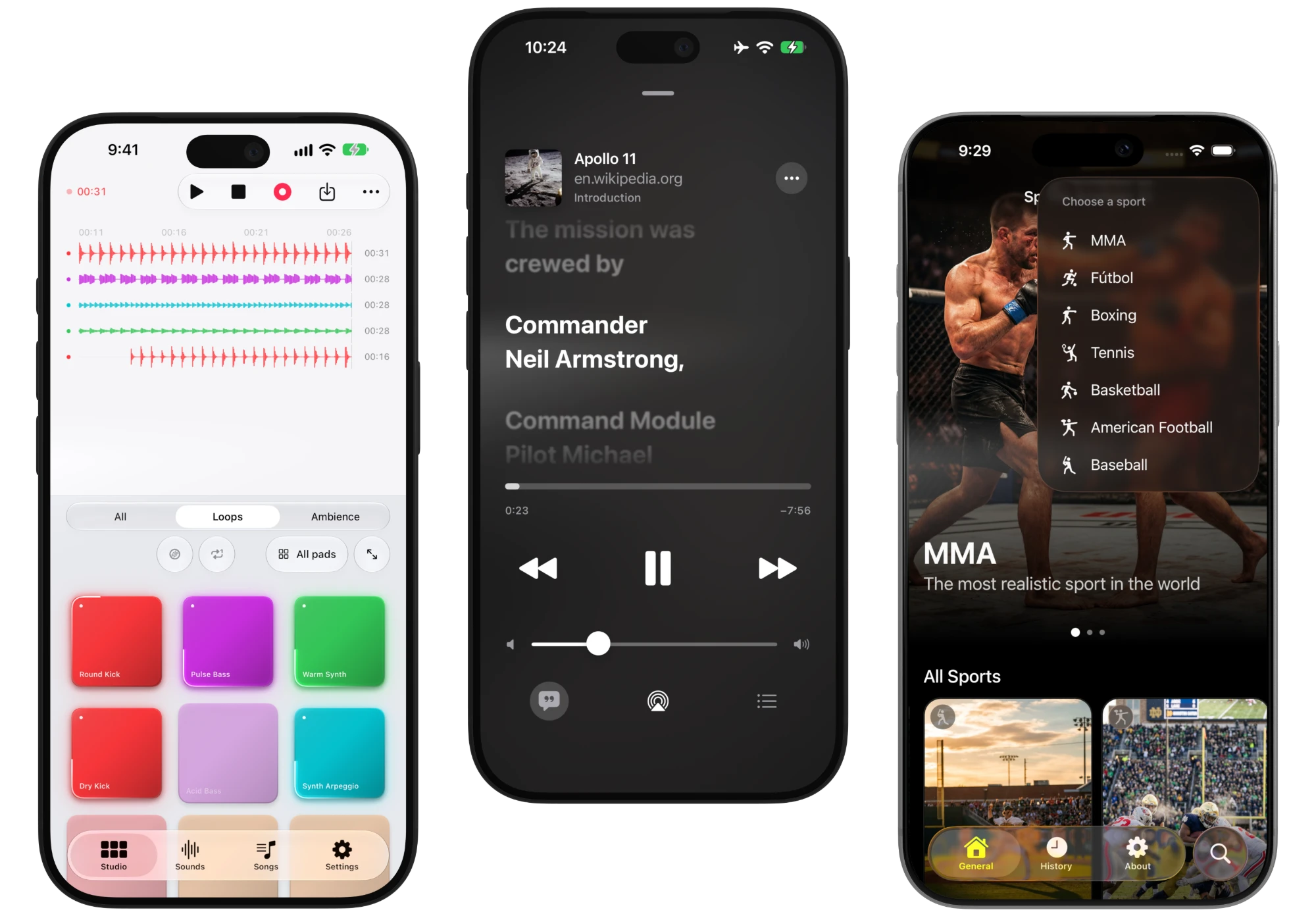
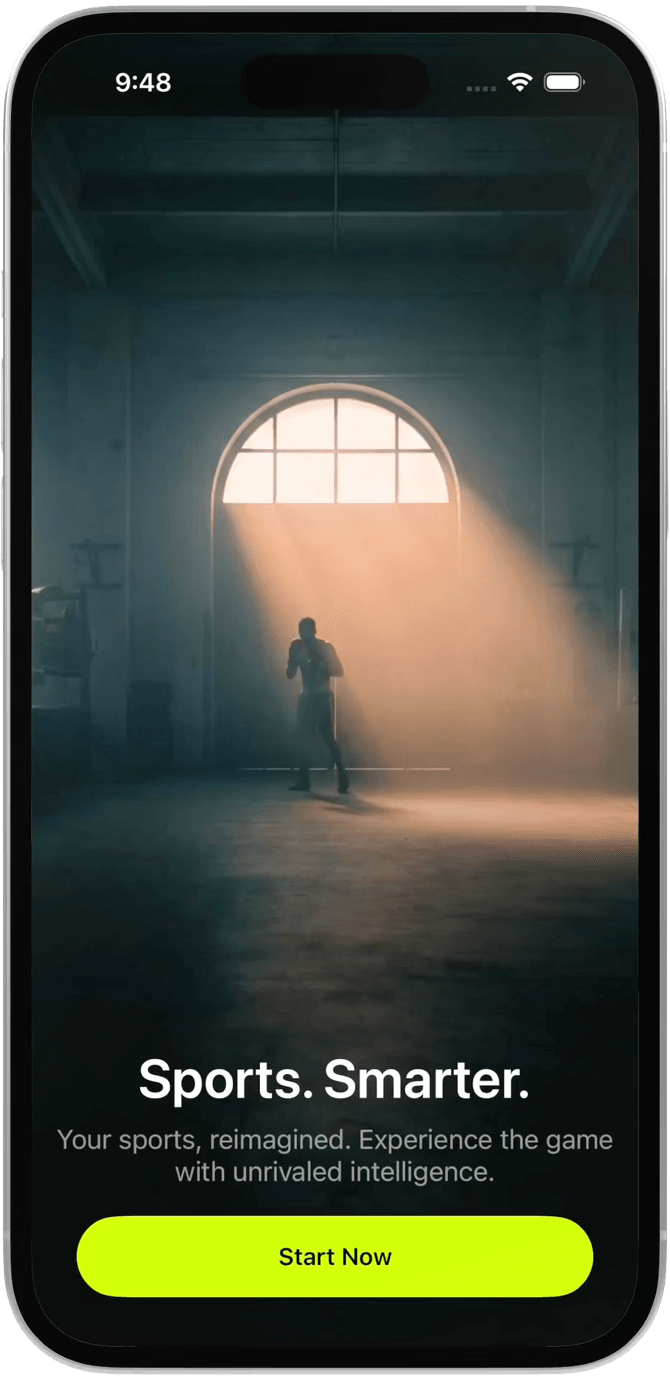
    Oddswell showing its sport picker.
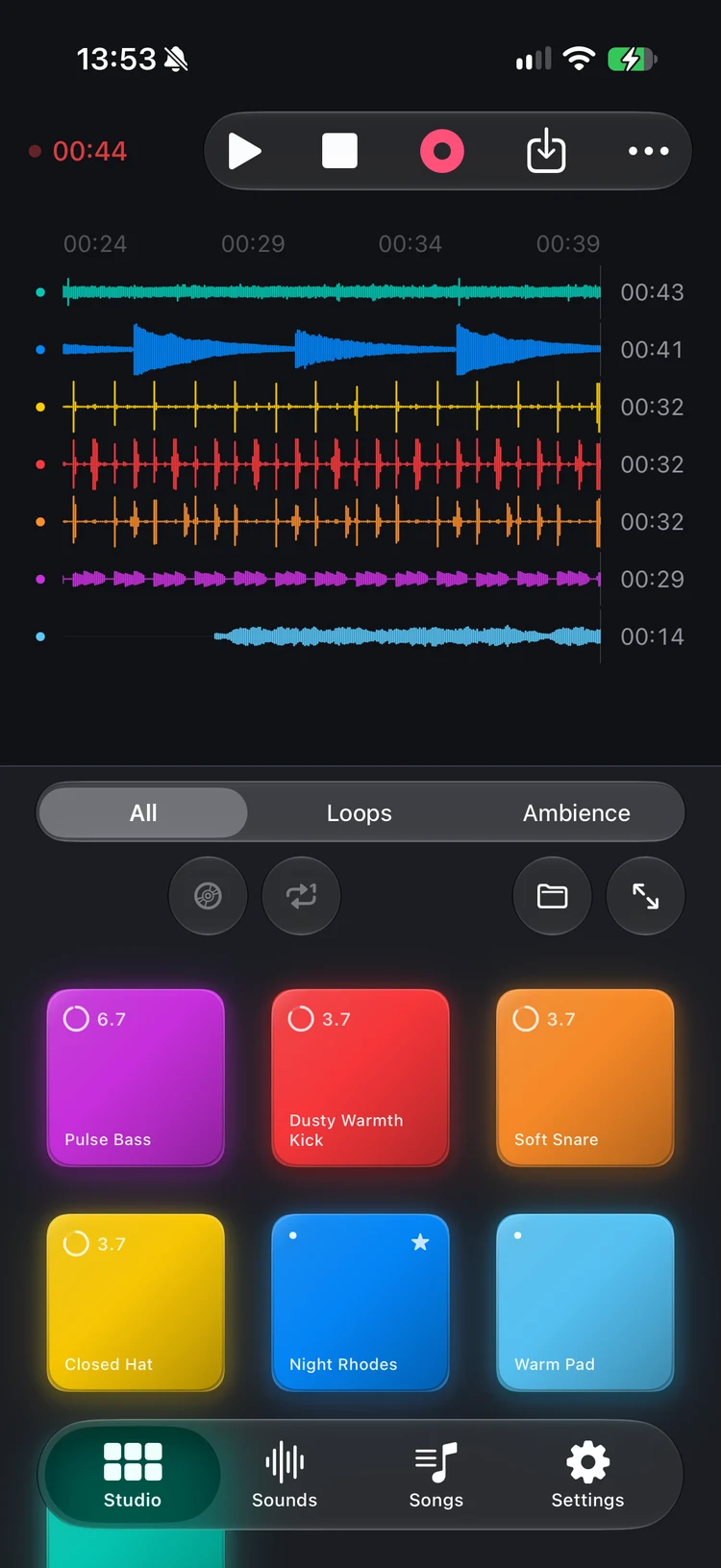
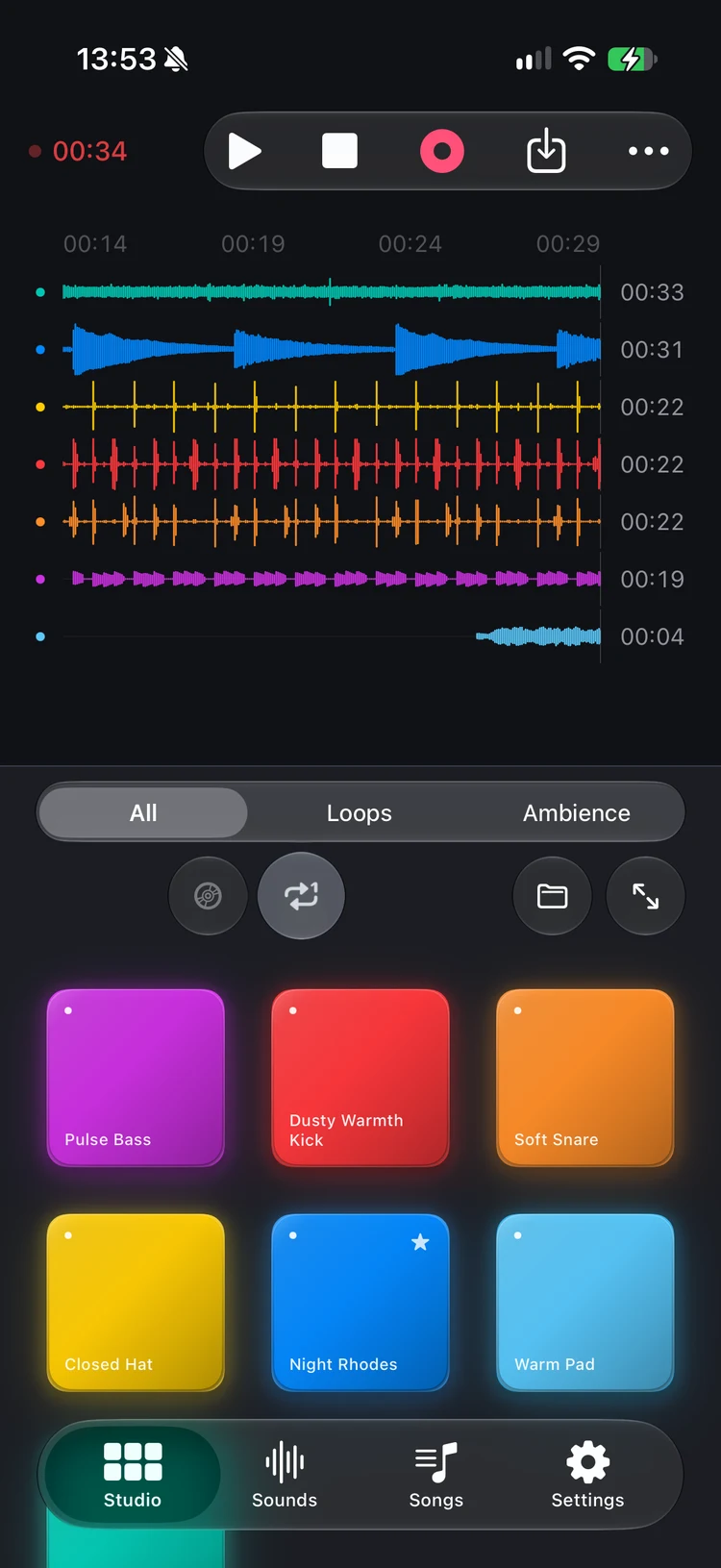
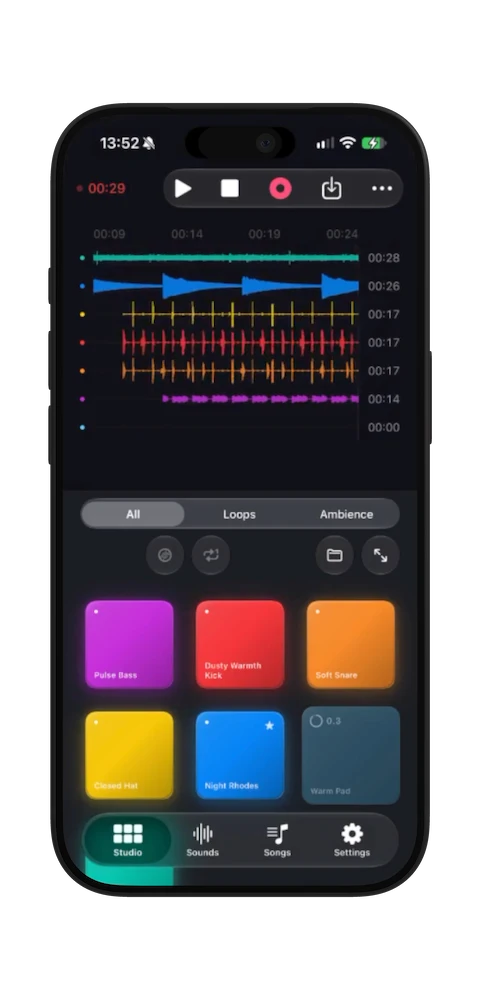
    Padify Studio tracking a live lo-fi performance.
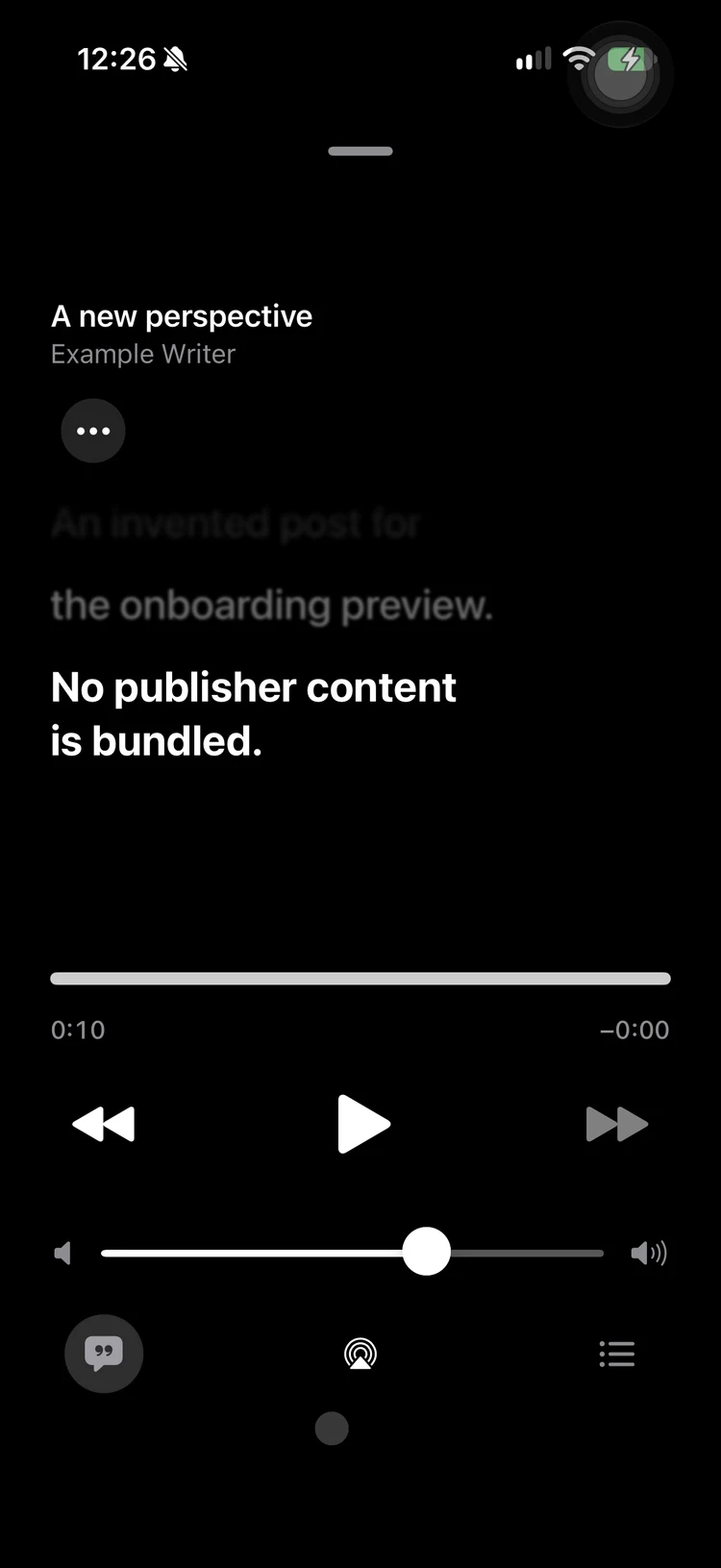
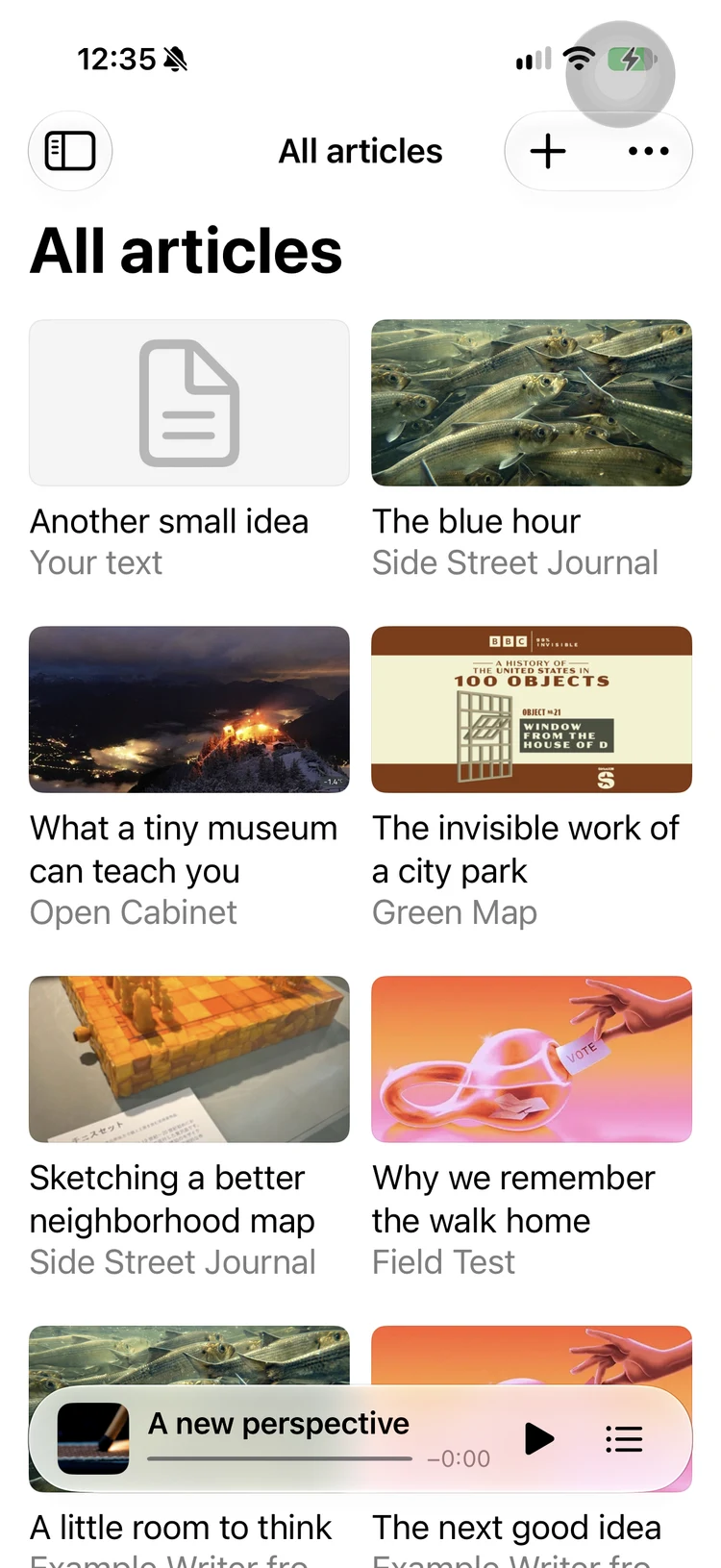
    Oyelo reading an article aloud with synchronized text.
  • When the code breaks, you'll know why.

    Your agent writes fast, but you still read the result. Learn native APIs, payments, and App Store submission with Expo.

    An AI agent's app has a bug: Photos won't load: permission missing. Why: the app never asked for photo access. Then: Asked for access. Photos load.

  • Real apps, not tutorial demos.

    Open the private repos of Nimvo, Oyelo, and Deargrain. Follow a feature from screen to source, then reuse the pattern.

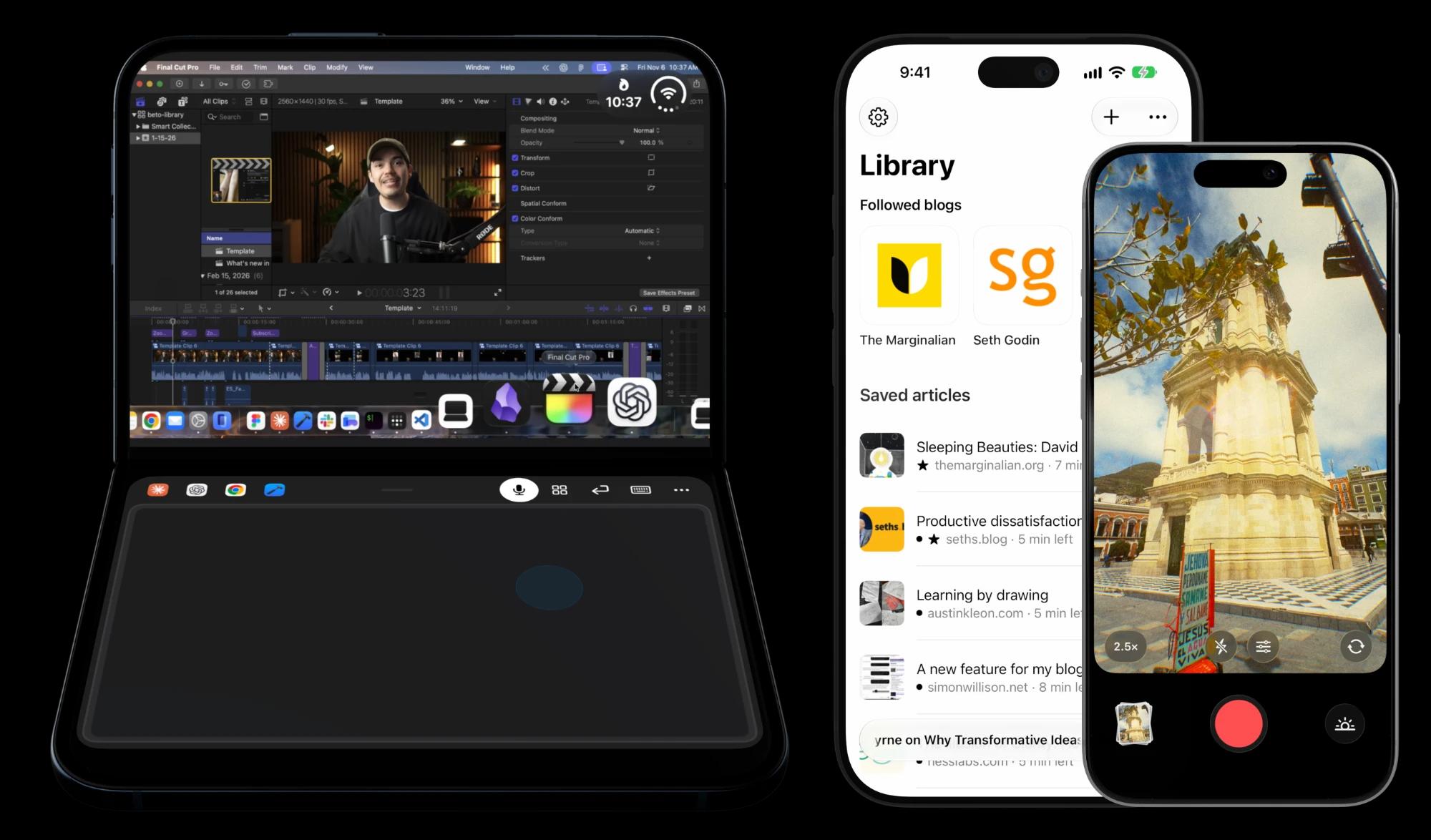
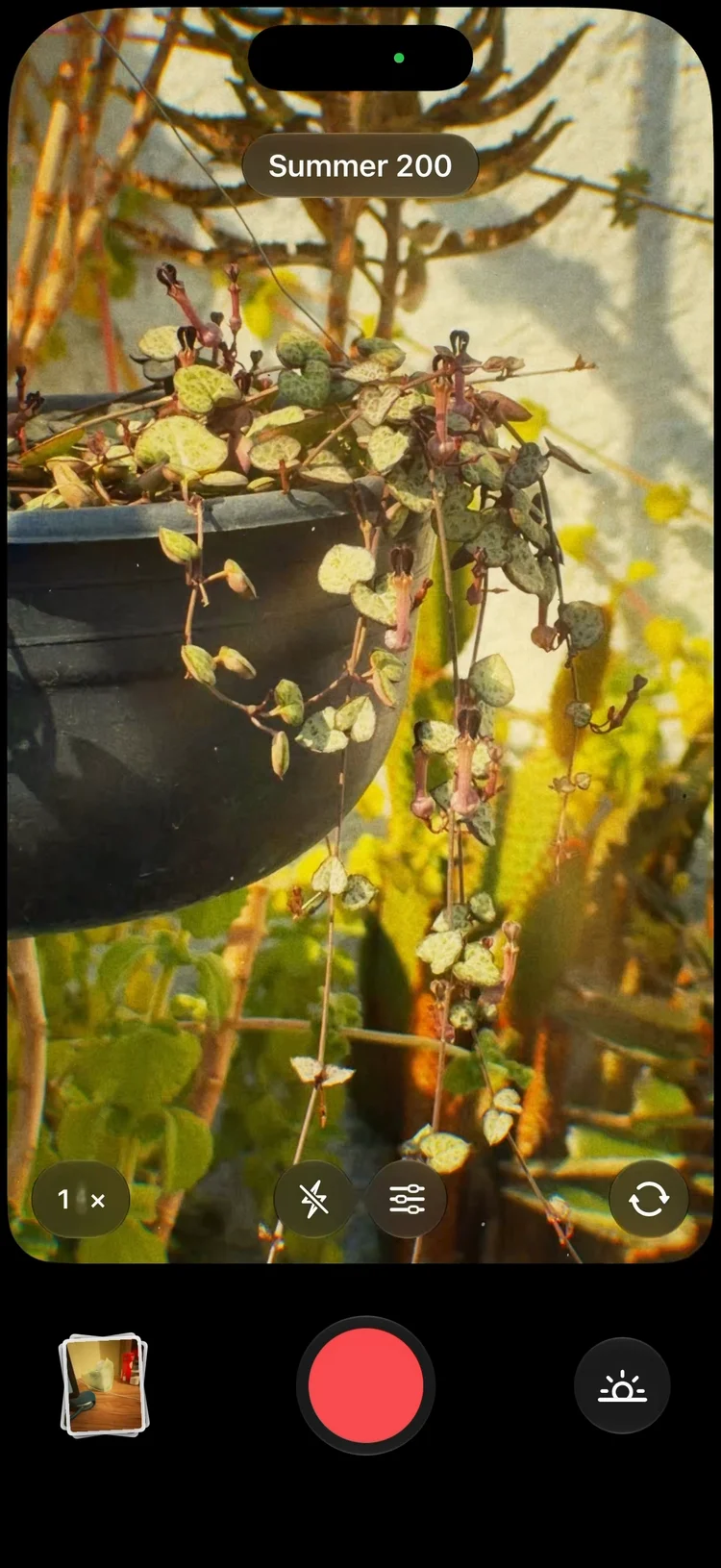
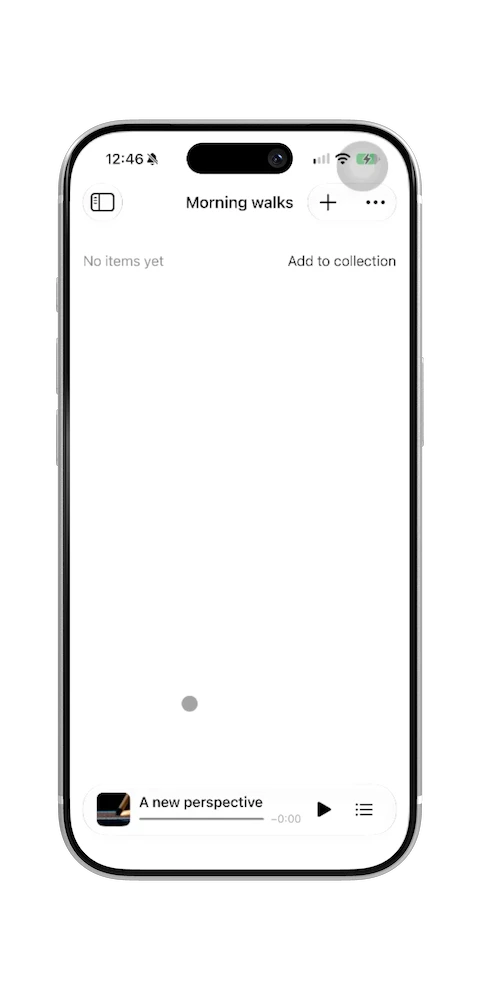
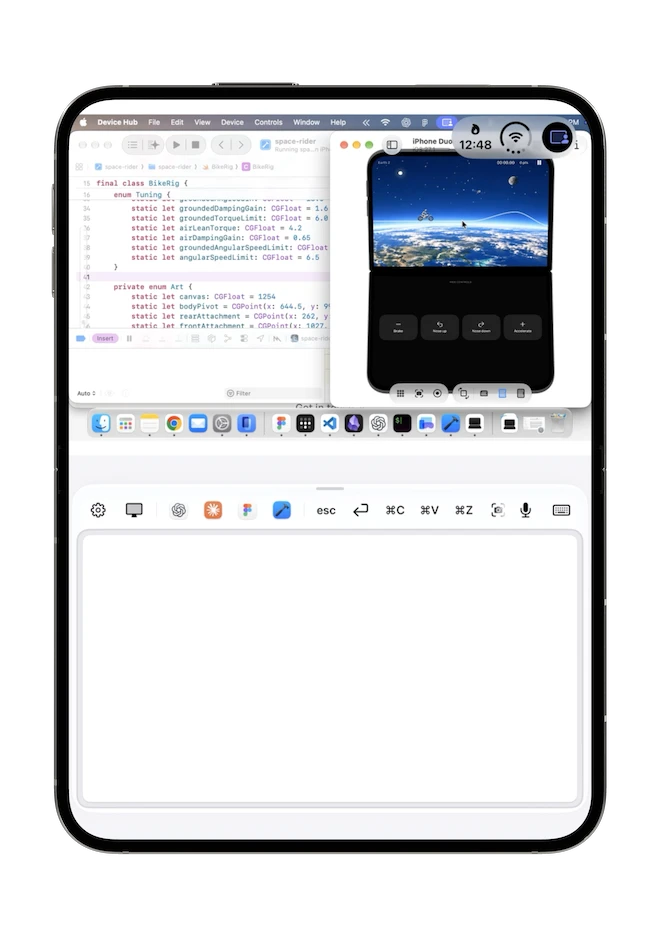
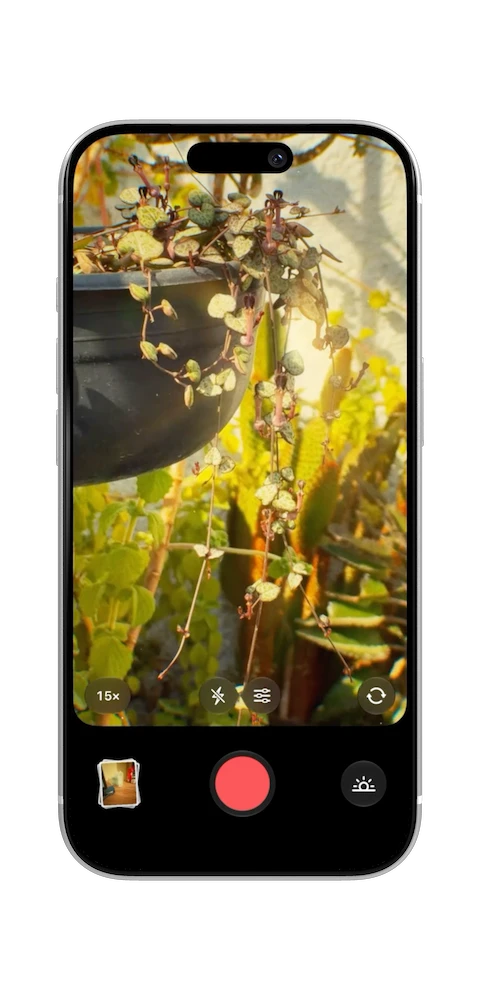
    Three of our apps: Nimvo controlling a Mac from a folding phone, Oyelo's library of saved articles, and Deargrain's film camera.

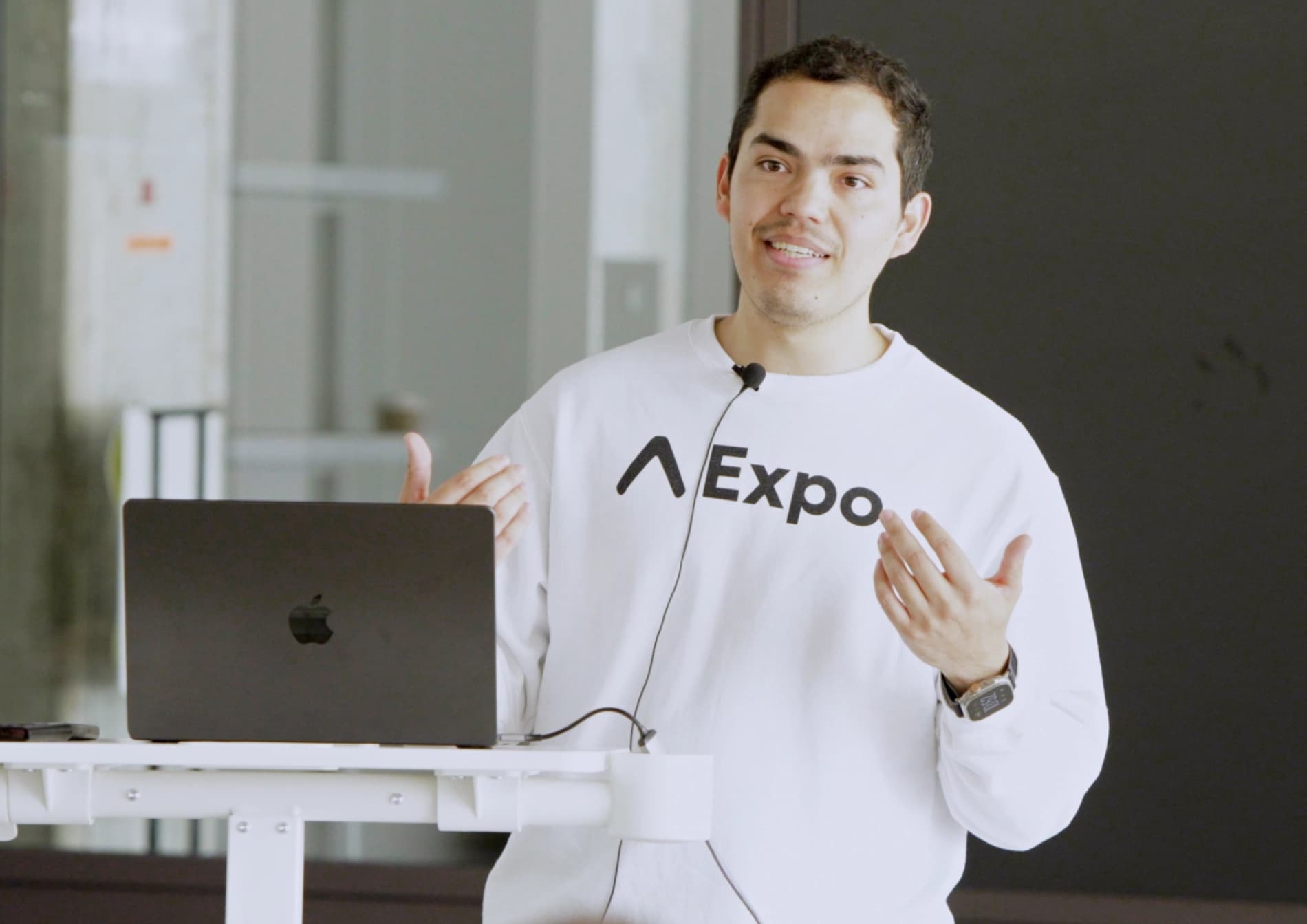
Taught by a former Expo engineer

I teach the workflows I use to ship apps on the App Store.

Hey! I'm Beto Moedano, former Developer Success Engineer at Expo and founder of Code with Beto. I build and ship apps, then teach what I learn along the way.

I created this platform because I know what it's like to piece together mobile development from scattered docs and outdated tutorials. Every codebase here comes from a project I've actually shipped, not theory.

So far, more than 30,000 people, from seasoned developers to first-time builders using AI tools, have learned through my courses, tutorials, and templates.

Let's connect!

Alberto Moedano (Beto), React Native and Expo instructor

Learn React Native with your AI

Build real features with Expo while your agent learns alongside you.

0

interactive lessons

0+

learning hours

0

platforms

0+

YouTube subscribers

Build the app. Make it feel native. Add login and payments. Ship to the app stores.

The workflow Beto used at Expo and in the apps he ships. Every lesson ends in code you can ship.

Navigation that holds up past screen three

Tabs, stacks, and modals you and your agent can navigate.

Feels native on iOS and Android

The device APIs that make an app feel finished.

Get paid from day one

Sign-in and purchases wired up and tested.

Make it through App Review

Builds, store listing, and submission, step by step.

Watch it, read the code, build your own

Three steps, every lesson.

  1. Learn the patterns

    Video lessons from someone who's shipped them.

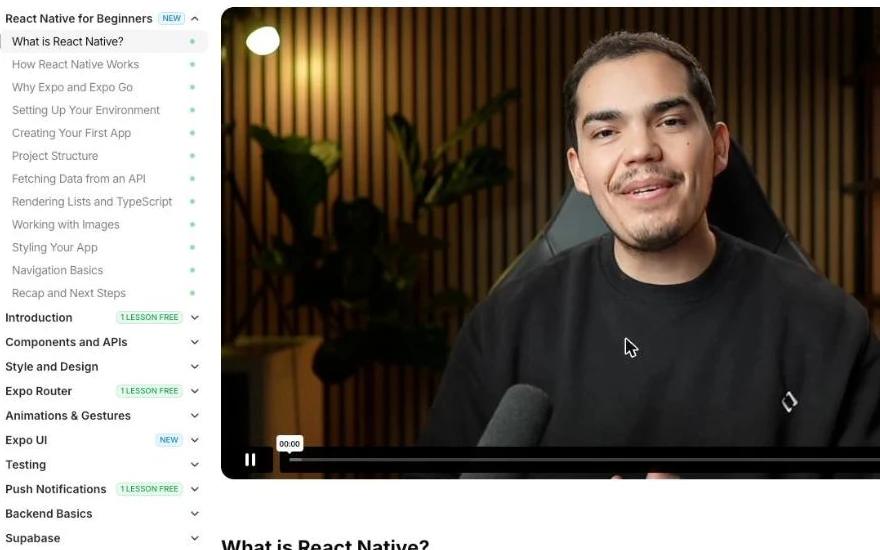
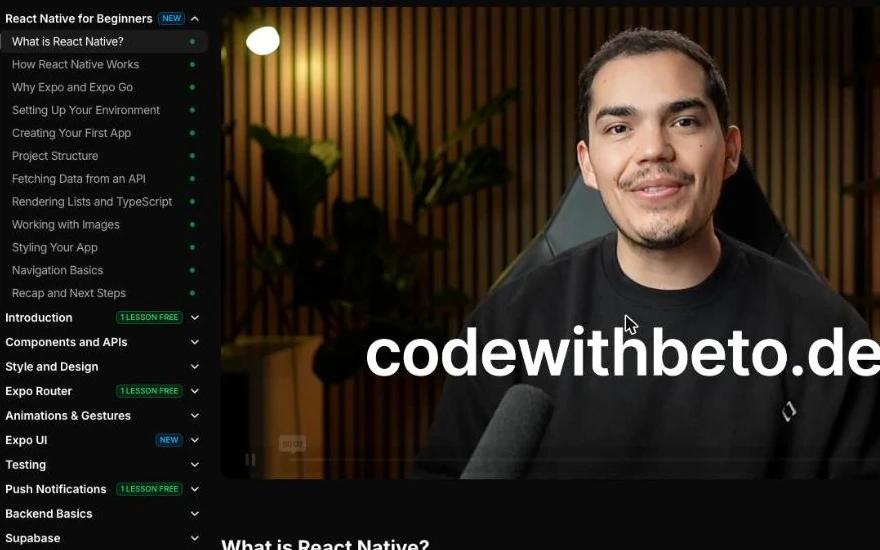
    The Code with Beto classroom: the React Native for Beginners lesson list next to a video lesson, What is React Native?, taught by Beto.
  2. Explore real codebases

    Study production apps, or give your AI their code.

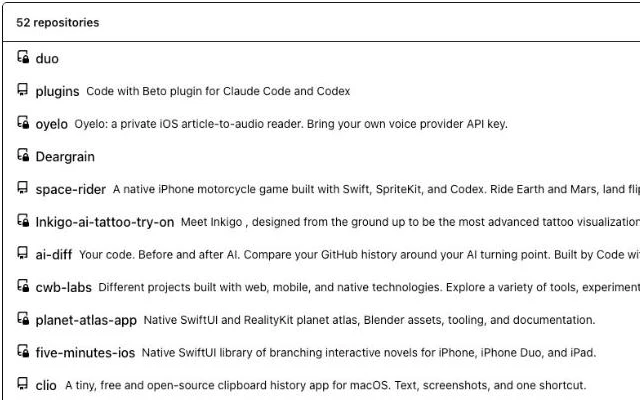
    The Code with Beto GitHub organization, 52 repositories including the private codebases of Duo, Oyelo and Deargrain.
  3. Ship apps that hold up

    Build maintainable, native-feeling apps ready for the App Store.

    Padify Studio recording all seven tracks of Lluvia de Medianoche.Oyelo showing a library of saved articles with cover art.Deargrain showing a live preview of the Summer 200 film profile.

Apps we build.

Oyelo

Overview01

Turn articles and text into a personal audio library. Oyelo lets you save something worth reading and listen when it fits your day.

Platforms02

A native iPhone app with background playback, Now Playing controls, widgets, and Live Activities.

What’s inside03

Import articles, listen offline, and pick up where you left off. Widgets and Live Activities keep playback on your Home Screen and Lock Screen.

Built with04

Built with SwiftUI and native playback APIs. Speech providers including ElevenLabs turn your reading into audio using your own provider key.

Explore Oyelo

Nimvo: Mac Remote

Overview01

Use your iPhone or iPad to interact with your Mac when you are away from your desk. Nimvo shows your Mac screen and gives you its trackpad and keyboard.

Platforms02

Pairs an iPhone or iPad app with a Mac companion over your local network. The Mac needs to stay awake and signed in during a session.

What’s inside03

See your Mac screen, use the trackpad and keyboard, and set up the connection by pairing both devices on the same network.

Built with04

Built with SwiftUI for the mobile app and its macOS companion, with native screen capture and networking connecting the two devices.

Explore Nimvo

Deargrain

Overview01

Bring a film-inspired look to everyday photos. Deargrain combines a live camera preview with adjustable color and texture, so you can compose with the look you want.

Platforms02

A native iPhone camera that processes photos on the device and saves your finished images to Photos.

What’s inside03

Choose from ten film profiles, preview the look live, adjust grain and light effects, and browse your photos in a built-in gallery.

Built with04

Built with SwiftUI and AVFoundation, with Core Image and custom Metal effects powering the preview and photo processing.

Explore Deargrain

Padify: LoFi Music Studio

Overview01

Build a lo-fi track by tapping pads in Studio. In Lluvia de Medianoche, rain and Rhodes set the mood before drums, bass, and more layers come in.

Platforms02

The walkthrough was recorded on an iPhone 17 Pro with Padify 1.0.1.

What’s inside03

Organize sounds into your own kit, trim loops, set the tempo, and mix effects. Record your performance, then reopen the project or export the track as WAV or M4A.

Status04

Padify is in development, so the preview and details will change.

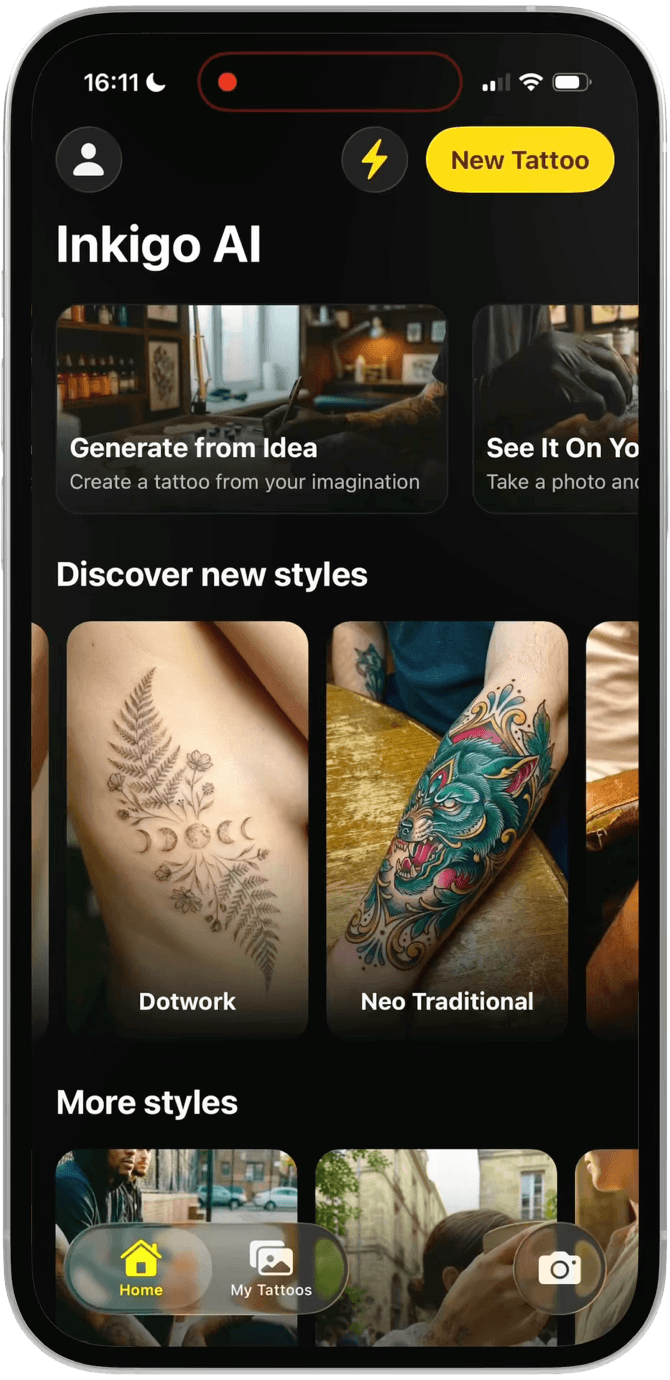
Inkigo

Overview01

See a tattoo idea on your own skin before committing to it. Inkigo uses AI to turn a design and a body photo into a realistic preview, so you can explore placements and styles.

Platforms02

Built and tested for iPhone, with a mobile experience designed around choosing a design, uploading a photo, and seeing the result.

What’s inside03

Explore a library of tattoo styles, bring your own design, and upload a photo of your arm, leg, or face to create a personalized preview.

Built with04

Built with Expo and Gemini for image generation. Better Auth and Prisma support the account and data flows behind the app.

Explore Inkigo

Resources

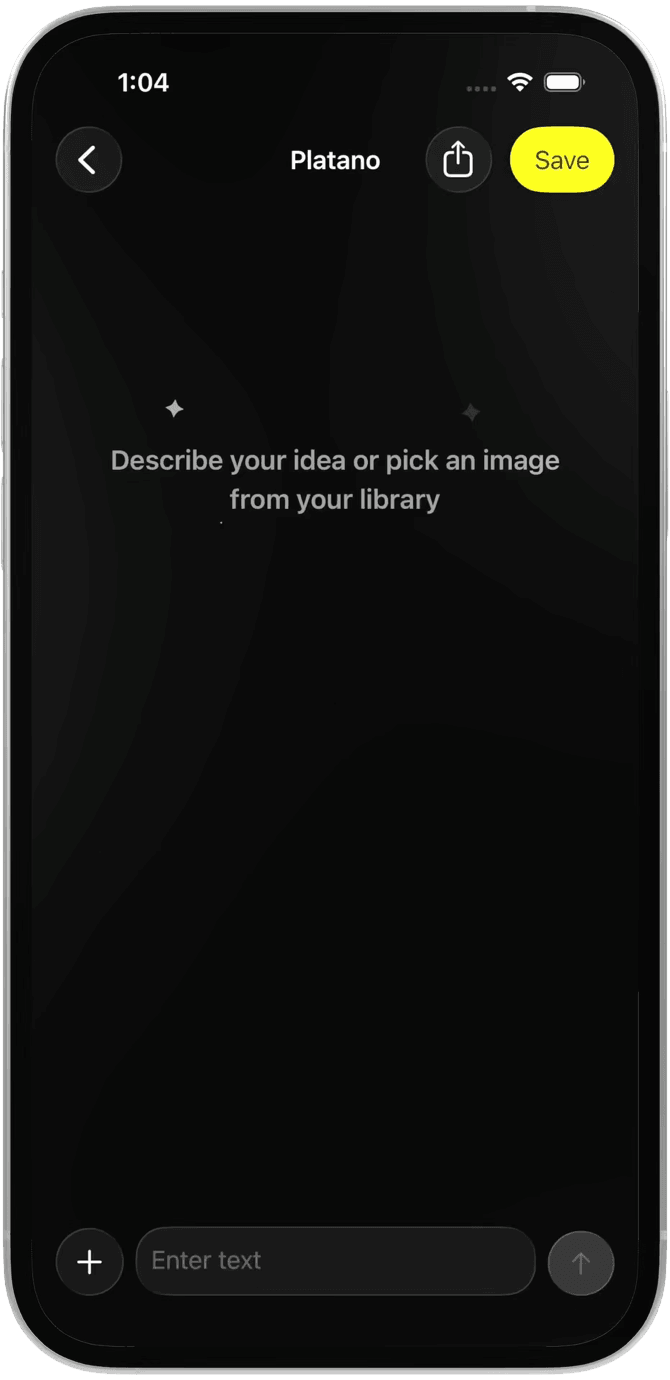
Platano

Overview01

Start an AI image app with a React Native template that connects generation, onboarding, and subscriptions in one Expo codebase.

Platforms02

Targets iOS and Android from the same Expo project, with English and Spanish support.

What’s inside03

Explore before-and-after onboarding, image generation, and a subscription paywall that you can adapt to your own product.

Built with04

Expo API routes connect to Gemini for image generation, and RevenueCat manages subscriptions.

Explore Platano

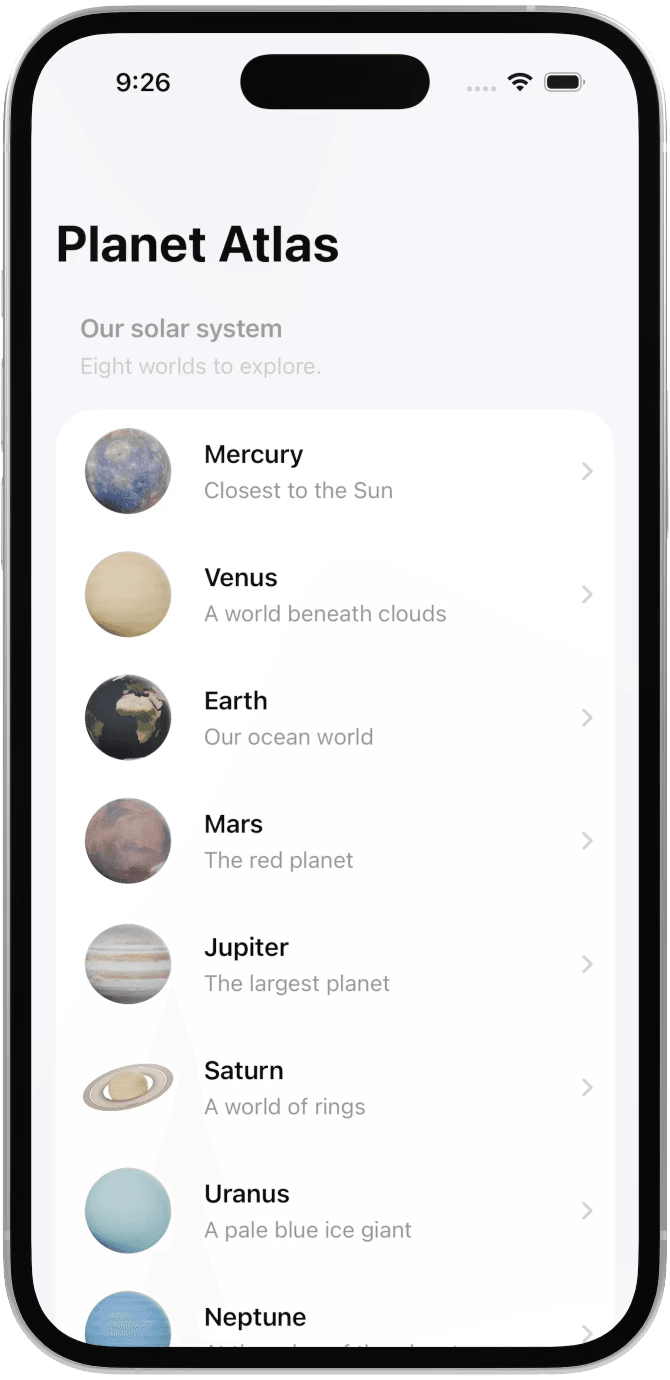
Planet Atlas

Overview01

Explore the solar system through an interactive native app. Planet Atlas combines 3D models, educational content, and augmented reality.

Platforms02

A native iOS app with adaptive layouts and bundled content that can be explored offline.

What’s inside03

Rotate and zoom through eight planets, place one in your room with AR, and explore the layers inside Earth.

Built with04

SwiftUI builds the interface. RealityKit and ARKit handle the 3D models and augmented reality.

Explore Planet

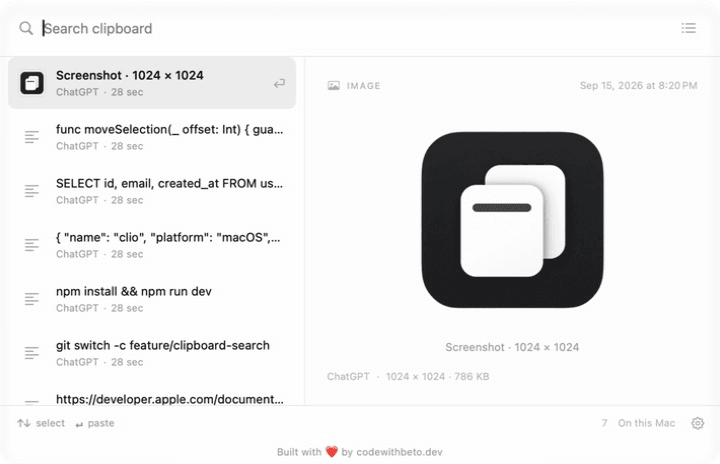
Clio

Overview01

Find recently copied text and screenshots with a keyboard shortcut. Clio is a free, open-source menu bar app that keeps your clipboard history on your Mac.

Platforms02

Requires macOS 26 or later.

Built with03

SwiftUI · AppKit

Explore Clio

FrameKit: Multi-Format Image Export

Overview01

Crop one photo for several aspect ratios and export each version in high resolution. Fine-tune individual crops when formats need different framing.

Platforms02

A native macOS app that processes images locally.

Built with03

SwiftUI · On-device

Explore FrameKit

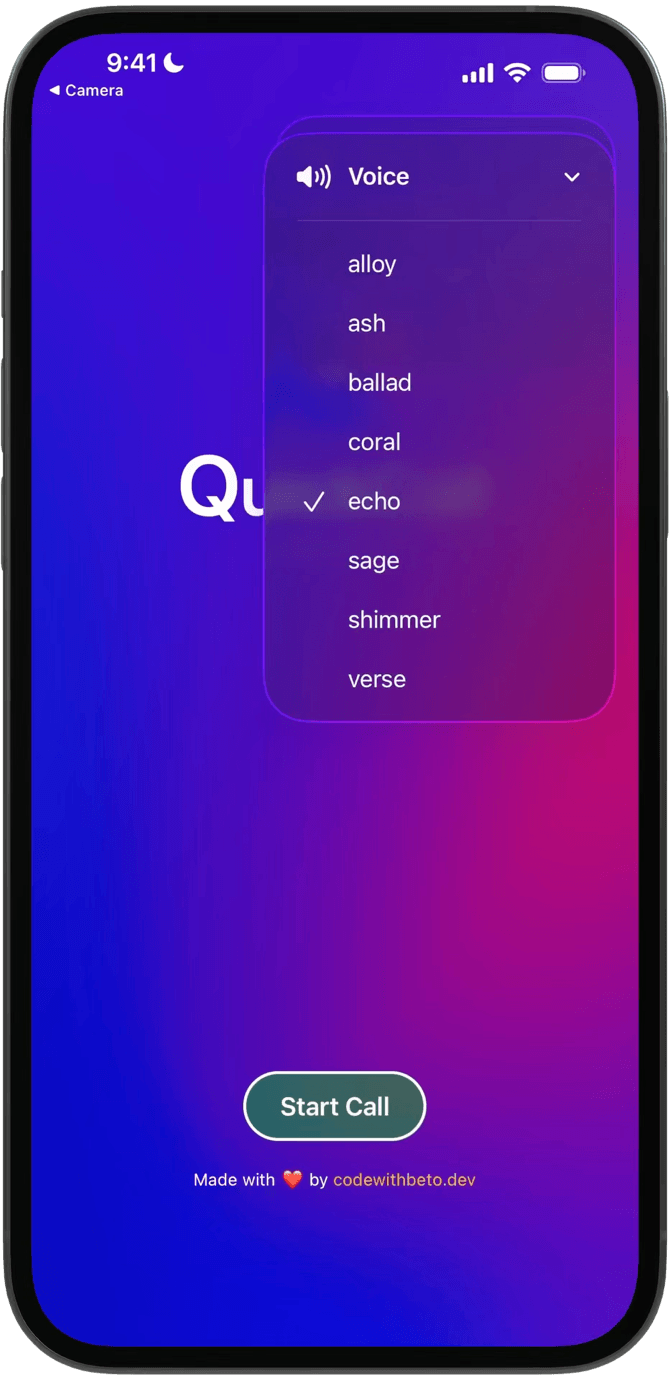
QuickCall: Real-time AI Conversations

Overview01

Build a voice-first AI experience with real-time, speech-to-speech conversations. QuickCall shows how a mobile app can connect a user to an AI voice with low-latency audio.

Platforms02

A React Native project built with Expo for exploring real-time voice on mobile.

What’s inside03

Follow the call flow, choose a voice, and explore real-time conversation and transcription in a complete mobile interface.

Built with04

Expo provides the mobile foundation, OpenAI Realtime handles the conversation, and WebRTC connects the audio stream.

Explore QuickCall

Oddswell

Overview01

Explore an AI-assisted sports analysis app, from selecting a matchup to reviewing a structured prediction with context and risk flags.

Platforms02

An Expo mobile project with analysis history stored locally on the device.

What’s inside03

Explore supported MMA, boxing, football, and World Cup prediction flows, then revisit saved analyses in your local history.

Built with04

Built with Expo Router, OpenAI server routes, and SQLite-backed local storage for saved analyses.

Explore Oddswell

Endlessly

Overview01

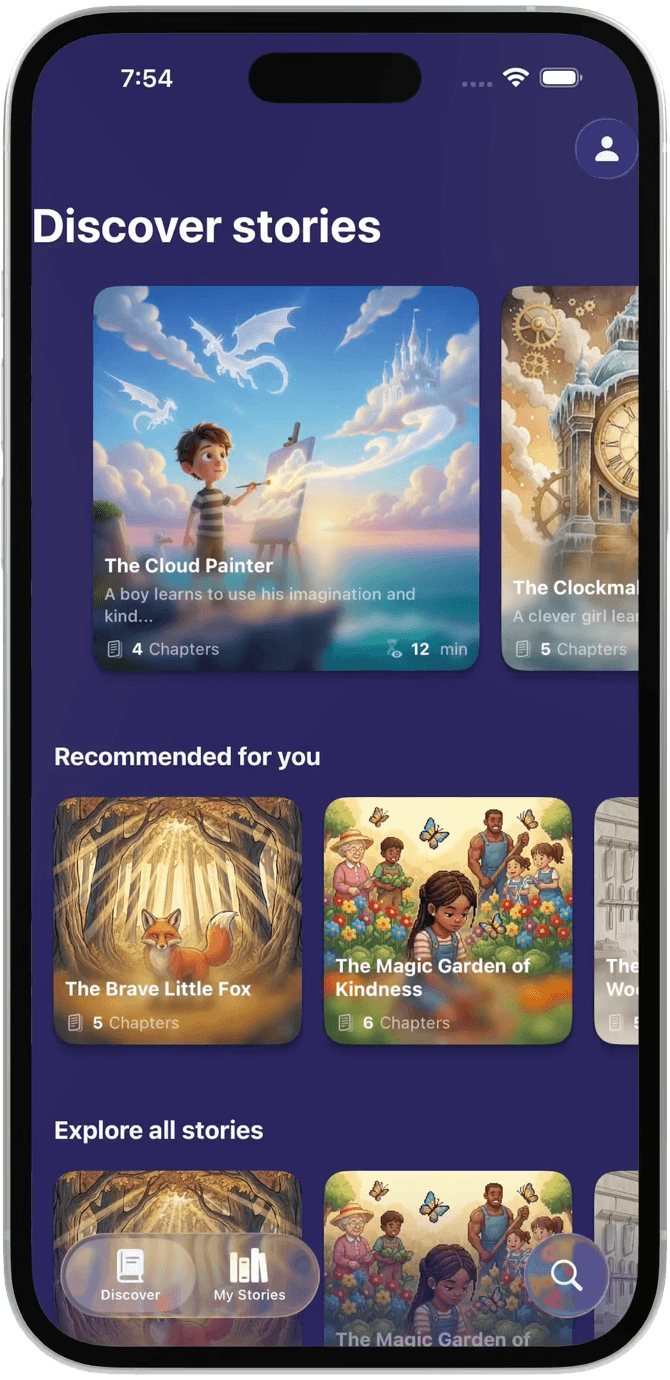
Create personalized stories for children with AI-generated chapters, illustrations, and narration.

Platforms02

A cross-platform Expo project with light and dark appearance support.

What’s inside03

Customize a story, explore multiple chapters with illustrations and audio, and find saved stories in a personal library.

Built with04

Built with Expo, OpenAI for story generation, and Replicate for generated images, with SQLite for local persistence.

Explore Endlessly

Kujun

Overview01

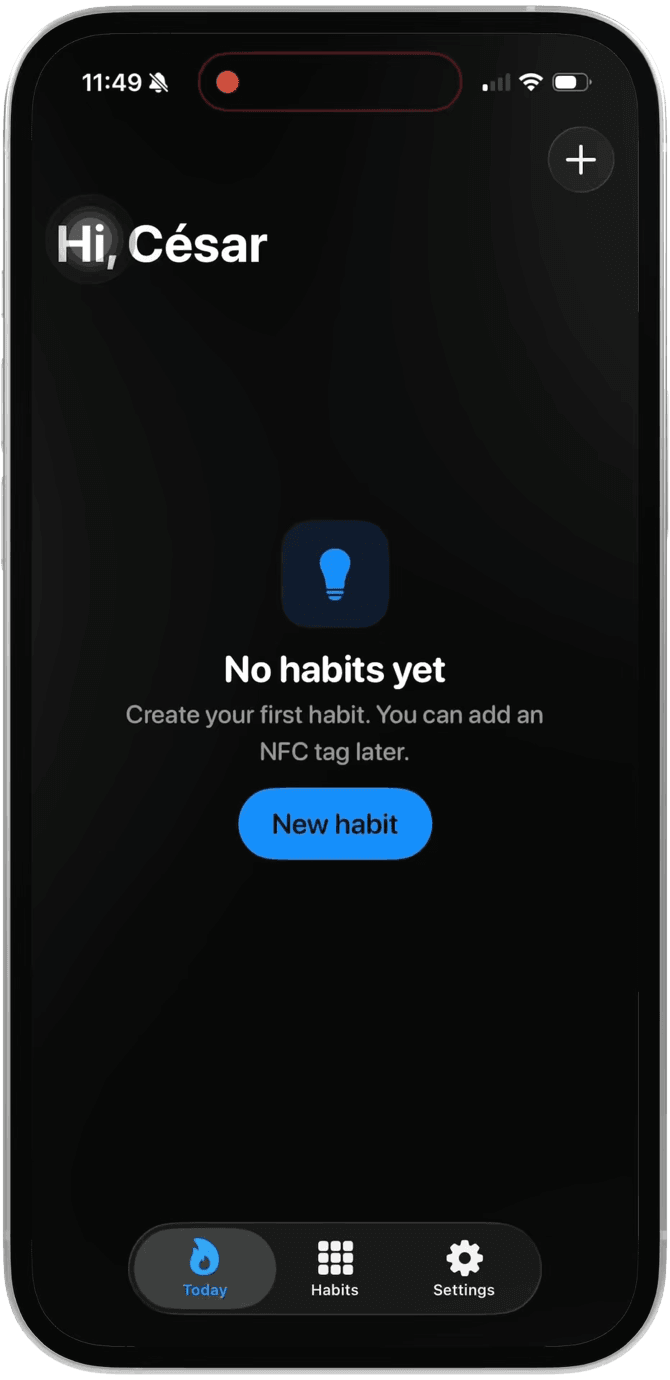
Build consistency one day at a time. Kujun is a local-first habit tracker that brings your routines, streaks, and progress together in a simple daily view.

Platforms02

Designed for iPhone, with a Home Screen widget that keeps recent progress and streaks in view. Your habits stay on your device.

What’s inside03

Check in with a tap or an optional NFC tag, set reminders, and explore your progress through a consistency heat map and streaks.

Built with04

Expo and Expo Router power the app, SQLite stores habits locally, and a SwiftUI Home Screen widget makes progress available outside the app.

Explore Kujun

Numa: Mindfulness AI Agent App

Overview01

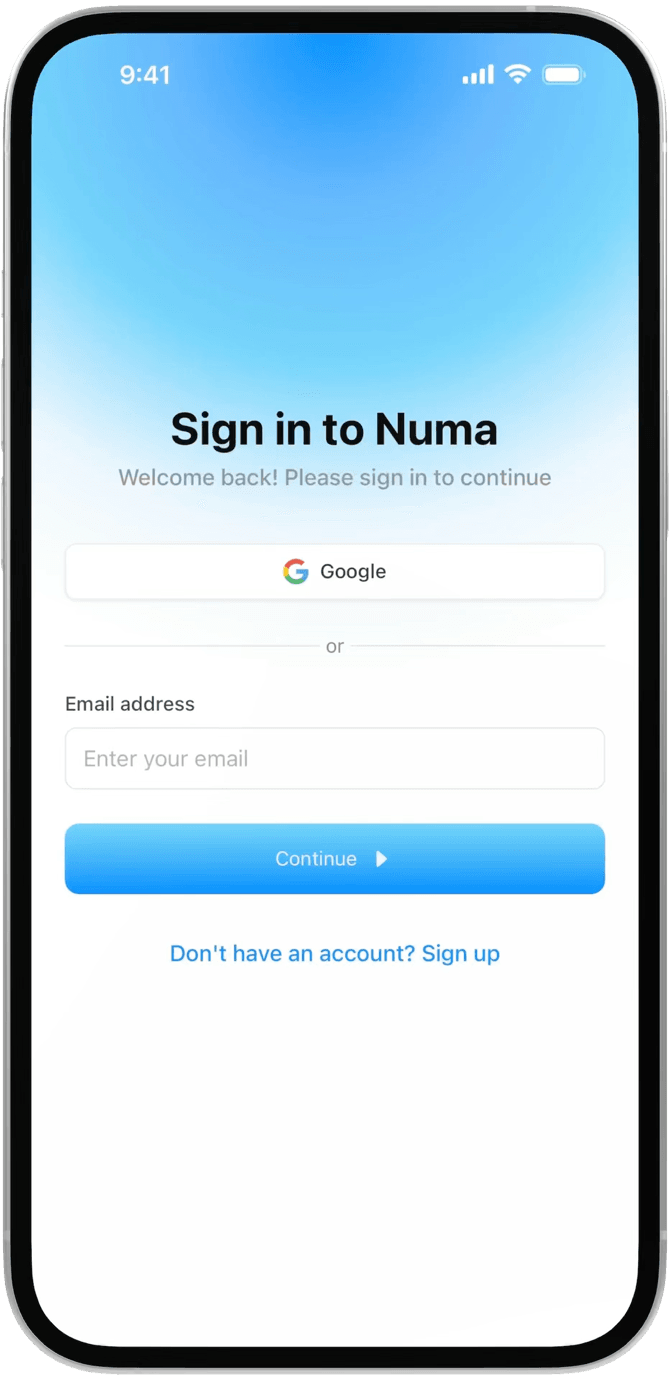
Study a full-stack mindfulness app built around an AI voice agent. Numa brings authentication, speech-to-speech conversations, and persistent sessions into one mobile project.

Platforms02

A React Native project built with Expo Router for mobile.

What’s inside03

Explore protected routes, user sessions, an animated interface, and conversations with an AI agent.

Built with04

Expo Router structures the app, Clerk handles authentication, ElevenLabs powers the voice agent, and Appwrite provides the database.

Explore Numa

OAuth Starter - Auth Template

Overview01

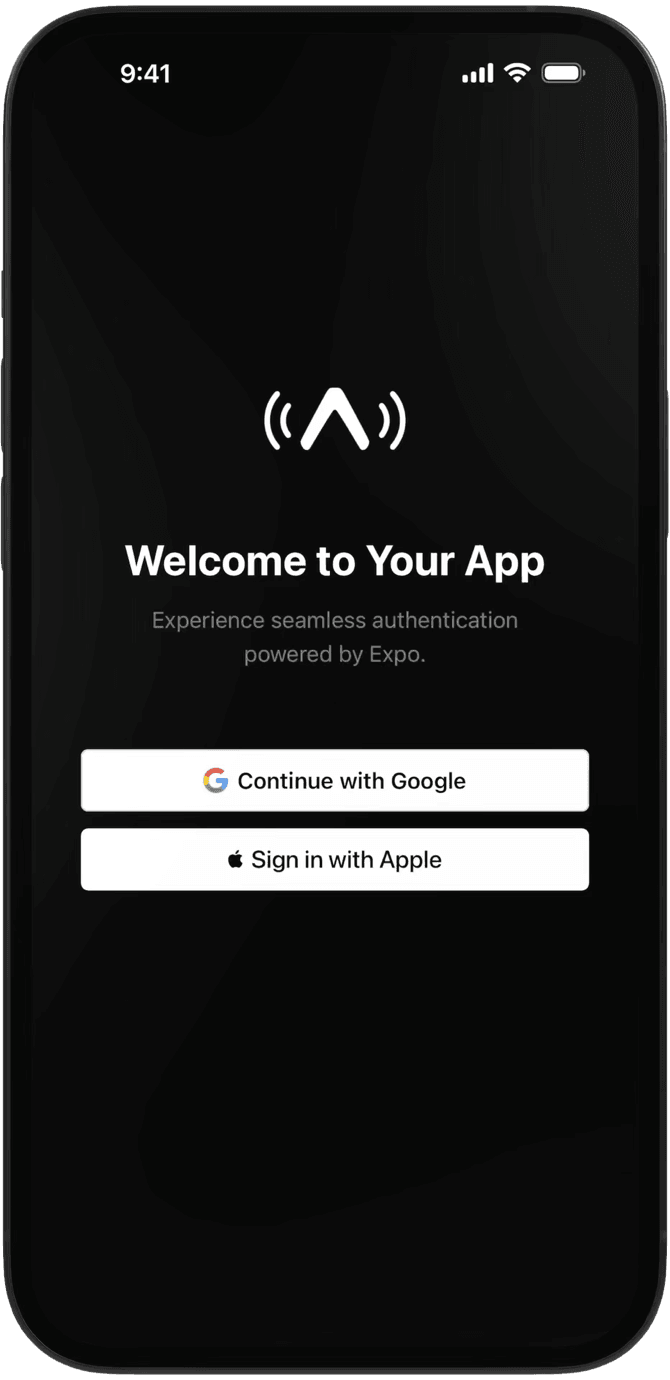
Start with a complete authentication flow and learn how sign-in works across a mobile and web app. OAuth Starter includes Google and Apple providers with a custom JWT implementation.

Platforms02

Designed for iOS, Android, and web, with storage adapted to each platform.

What’s inside03

Explore provider sign-in, token issuance and refresh, protected authentication flows, and a video guide for configuring the project.

Built with04

Expo Router API routes issue and refresh JWTs. Expo Secure Store holds tokens on mobile, while web uses cookies.

Explore OAuth

Used by developers shipping at Meta and on the App Store today

  • Cal.com
    “Tons of the Expo expertise and practical help that turns 'this should work' into 'looks good, feels good' came from Beto.”
    Peer Richelsen · Co-founder and CEO of Cal.com
  • Prisma
    “Beto has some great React Native learning resources”
    Søren Bramer Schmidt · Founder and CEO of Prisma
  • Infinite Red
    “You're incredibly prolific Beto, this is great!”
    Jamon Holmgren · Founder and CTO of Infinite Red
  • Make It Animated
    “Beto helped me a lot with my expo apps”
    Volodymyr Serbulenko · Building @makeitanimated
  • “I finally started shipping and built 3 apps in one month.”
    JPainam · ML Engineer
  • “It helped me deeply understand how everything works together instead of just copying tutorials.”
    Nathan Guianvarch · Software Engineer
  • “They made the concepts easier to understand, and I could use AI to speed up the process with real examples.”
    Zeeshdev · Software Engineer

Free or Pro?

Free: the skills pack, the MCP's public content, and Oyelo. No card. Pro: one payment for everything else, now and later.

What a free account and Pro include
FeatureFreeWith an accountProPaid once
MCP accessYour agent reads our lessons, screens, and app source.Public + OyeloFull library
Skills pack10 skills for any agent.YesYes
CoursesVideo lessons from Beto.SamplesEvery course
Premium codebasesPlatano, Inkigo, Oyelo, and more.NoYes
Platano templateExpo template for AI image apps.NoYes
Figma files and private DiscordNoYes
Future courses and updatesPay once, get what we add later.NoYes

Go Pro, or try free first.

One payment for everything, now and later. Or start free: the skills pack and the MCP's public content, no card.

Get Pro access

What our community says

  • Matteo Giuditta

    Full-Stack Developer

    5 out of 5 stars
    “A few months ago I completed the Expo course by Code with Beto - and looking back, it was honestly the best investment I've ever made as a developer. Alberto Moedano doesn't just teach the framework - he walks you through every detail with clarity and care. The kind of course where you actually understand what you're building, not just copy-paste code. And it doesn't stop there - he continuously updates the course and is always available on Discord to answer any question you might have. That kind of support is rare.”
  • Kevin JC

    React Native Developer

    5 out of 5 stars
    “A year and a half ago I got my first role as a React Native developer. I want to thank you from the bottom of my heart because your tutorials have been a wonderful asset in my learning journey. Congratulations on your position at Expo, you truly deserve it. I wish the best in your carreer. Kevin, a years long subscriber of yours.”
  • Matheus Zanin

    React Native Developer

    5 out of 5 stars
    “I just wanted to say thanks for all the content you share around React Native and Expo. Your videos were a big inspiration for me to start exploring more polished mobile experiences and experimenting with animations, theming, and native-feeling interactions. I went back to a small app called My Connection, and seeing your content on YouTube really inspired me to take on a fun side project again. I recently started publishing internal builds on the Play Store, and your content definitely influenced part of the journey. Thanks again for the inspiration and for everything you share with the community!”

One plan. Everything included. Yours for life.

All current and future courses, premium projects, and resources. Pay once. 7-day refund on full-price purchases.

Pro Lifetime Access

$299

USD · one-time
License type

One-time payment for lifetime access.

  1. Lifetime access - one-time payment
  2. All current and future courses
  3. Lifetime updates to included courses
  4. Platano: Expo template for AI image apps
  5. Full access to the Code with Beto GitHub organization
  6. Source code for all our products and real-world apps
  7. Full MCP access for Claude Code, Codex, Cursor, and other agents
  8. App screens and the code behind them
  9. Access to real-world examples and codebases
  10. Exclusive access to personal projects and experiments
  11. Priority support via a private Discord channel
Secure payment · Instant access

7-day money-back guarantee on eligible Pro solo purchases at the full list price only. Not available if any coupon, promo code, PPP, student offer, team pricing, or other discount was applied. Full policy. Eligibility details are also in the FAQs.

Studying? Get a student discount.

Email proof that you're enrolled and get a discount code for lifetime access.

Apply for the student discount

Send it from your school .edu address with a photo of your student ID. Discounted orders aren't covered by the 7-day refund.

Not ready for Pro? Start free.

Our public content, Oyelo's source, and the skills pack. No card, and it stays if you go Pro.

Give your agent real apps to learn from.

Your agent reads real app source and adapts it to your project. Free covers our blog, guides, skills, screens, and Oyelo. Pro adds every lesson and codebase.

  1. Sign in

    Use Google or GitHub and copy your MCP setup from your profile.

  2. Connect your agent

    Paste it once into your MCP client.

  3. Ask about real code

    Try “How does Oyelo keep audio playing in the background?”

Claude Code
Cursor
Codex
VS Code
Windsurf
Gemini CLI
GitHub Copilot
Antigravity
MCP clients

Download the skills pack

10 skills so your agent builds screens, themes, and onboarding like we do.

  • App icons

    /app-icon

    From SnapAI

  • Image generation

    /ai-image-flow

    From Inkigo

  • Launch

    /app-launch

    From our launch articles

  • Local data

    /local-first

    From Kujun

  • Mobile UI

    /mobile-ui

    From Planet Atlas

  • Payments

    /monetization

    From Platano and Duo

  • Onboarding

    /onboarding

    From Kujun and Oyelo

  • App planning

    /ship-coach

    From FrameKit

  • Native builds

    /local-build

    From our local build guide

  • Theming

    /theming

    From our theming docs

Frequently asked questions

Free vs Pro, the MCP, refunds, and more.

Still have questions? Contact us

Join 22,000+ engineers, designers, and builders shipping real-world mobile apps

Courses, templates, and real codebases, in your inbox.