Inkigo
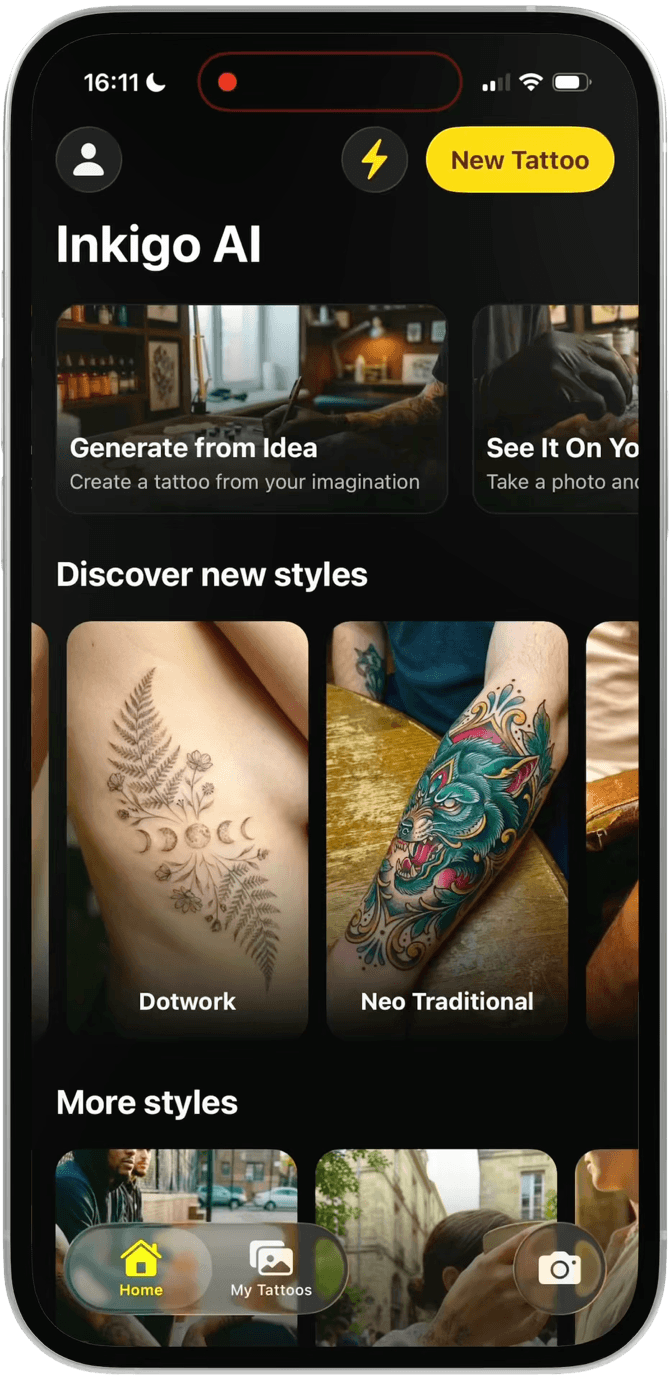
Explore tattoo styles and create an AI tattoo preview.
Screens
Discover styles
Create a tattoo
Try on a tattoo
Saved tattoos
Account and plans
Overview
Inkigo combines advanced AI with React Native to create an intelligent tattoo preview experience. Built with Google Nano Banana for image generation and Expo Router API, this app processes body photos to generate realistic tattoo previews on your skin.
Designed for tattoo enthusiasts and developers alike, this template demonstrates real-world AI integration with production-ready mobile architecture featuring Better Auth, Prisma, and Expo UI. The app features a modern design using liquid glass effects for an elegant and contemporary user experience. Currently tested on iOS only.
Key Features
This template includes:
- AI-powered tattoo preview - Upload photos of arms, legs, or face
- Thousands of designs - Choose from extensive tattoo library
- Custom uploads - Upload your own tattoo designs
- Realistic rendering - Advanced AI makes previews look natural
- iOS optimized - Currently tested on iOS (Android support coming soon)
Real-World Application
Tattoo preview technology powers multi-billion dollar industries including tattoo studios, design platforms, and mobile apps serving millions of users worldwide. This template provides the foundation for building similar applications with modern React Native and AI capabilities.
The app processes body photos and tattoo designs to generate intelligent previews that help users make informed decisions before getting inked. The AI technology ensures realistic placement and skin tone matching, making it an essential tool for both tattoo artists and clients.
See it live on the App Store and at inkigo.ai, where Inkigo serves more than 500 real users and continues to grow with paying customers.
What You Get with Pro Lifetime Access
When you become a Pro member at Code with Beto, you get lifetime access to all our premium resources: complete source code, templates, and tools through our private GitHub organization. Every project we release is available there, searchable and ready to use.
We actively maintain everything to ensure a smooth dev experience on iOS (with Android support coming soon), with easy setup and up-to-date dependencies. Pro access also includes entry to our private Discord community, where you can ask questions, get support, and connect with other developers.
Get Started Today
and start building intelligent tattoo preview applications today.
Questions? Join our Discord server where our community of developers is ready to help! Or if you prefer, send us an email at beto@codewithbeto.dev
Give your agent real apps to learn from.
Your agent reads real app source and adapts it to your project. Free covers our blog, guides, skills, screens, and Oyelo. Pro adds every lesson and codebase.
Sign in
Use Google or GitHub and copy your MCP setup from your profile.
Connect your agent
Paste it once into your MCP client.
Ask about real code
Try “How does Oyelo keep audio playing in the background?”